An app for the field, and one for the manager.
GPStrix Field records attendance, visits, forms and expense claims on the phones your staff already carry, and keeps working in a basement godown with no signal. GPStrix Fleet puts the live map, alerts and pending approvals on a manager's phone.
Android only for now; there is no iPhone app yet. The apps install from this site rather than the Play Store. How to install.

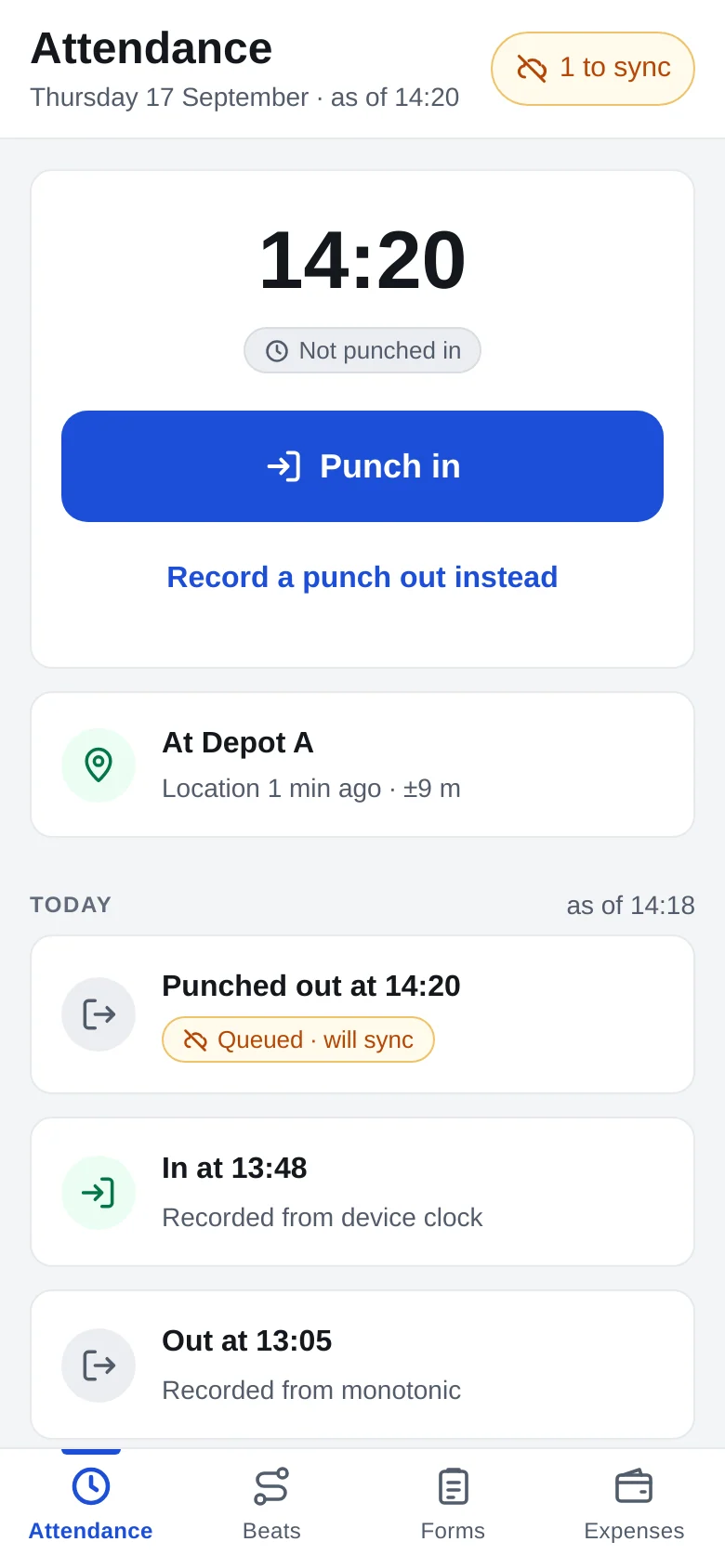
GPStrix Field shows the punch-in time the office will see.
Staff tap Punch in and the time appears straight away. It is the time the register will record, even if the phone's own clock has been set half an hour fast: the app measured that error against our server at its last sync and corrects for it before anything is sent.
The app also checks the punch against the site's geofence and says what it found. It never refuses a punch. GPS inside a warehouse or a hospital basement is often 200 metres out, and a refused punch would leave the employee with no record of turning up at all. A punch outside the fence is saved and flagged for a manager to look at.
- 14:20
- The corrected time, shown before the phone has touched the network.
- At Depot A, ±9 m
- The geofence check and how accurate the fix was. Information, not a gate.
- Queued, will sync
- The punch is safe on the phone and goes when there is signal.
- Punch out instead
- If a battery died mid-shift and the last punch never happened, the other direction is one tap away.
Built for places with one bar of signal, or none.
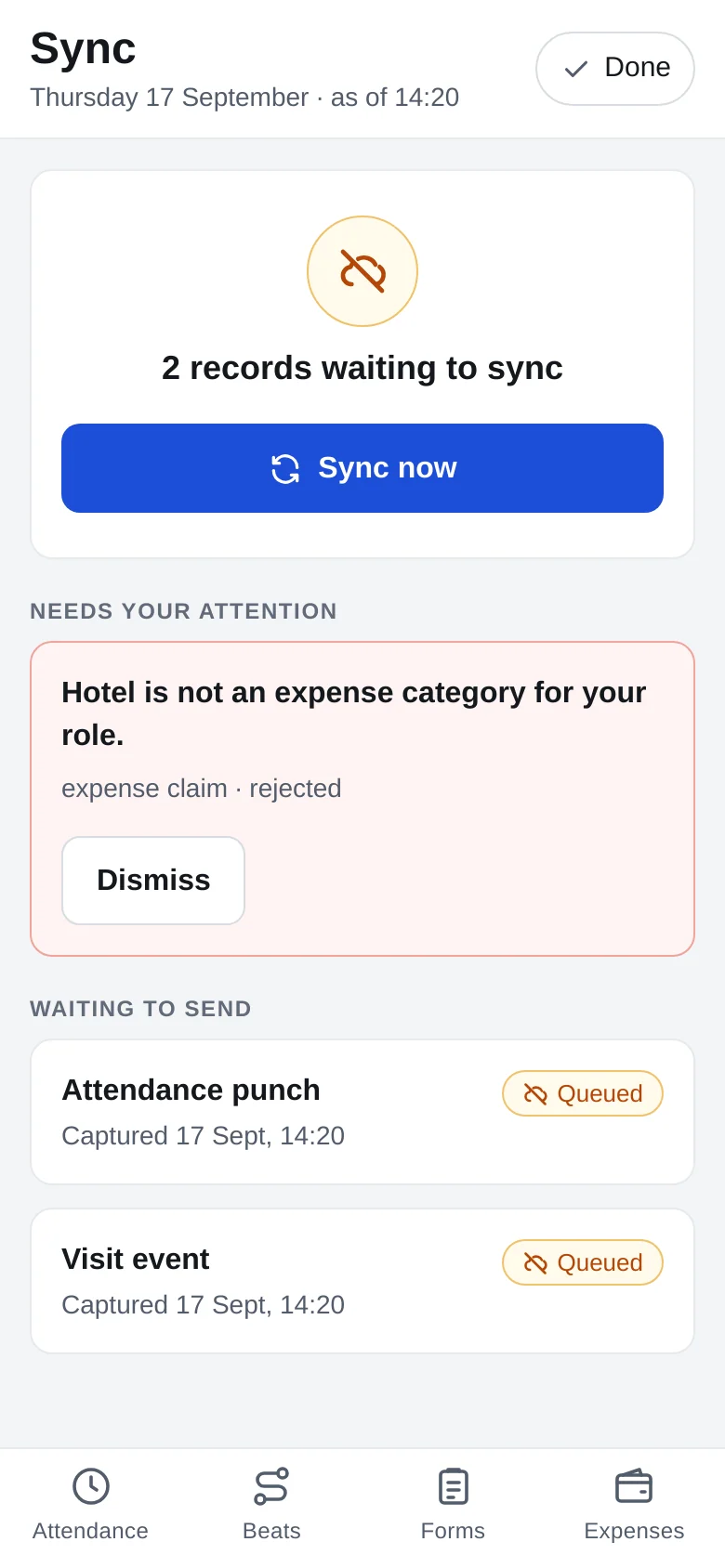
Everything the app records goes into a queue on the phone first: punches, visit check-ins, form entries, expense claims. When the network comes back, the queue is sent. Each record carries an ID fixed when it was captured, so a send that fails halfway and is retried still produces one punch on somebody's timesheet, not two.
The queue is never hidden. The top of every screen says how many records are waiting, and the Sync screen lists them, along with anything the server sent back, such as an expense filed under a category that role isn't allowed.
- No signing out with records waiting. Signing out would throw away whatever has not been sent, so the app asks you to sync first.
- Signed in across restarts. A phone that reboots on the road opens straight back into the app without asking for the password.
Beats, forms and expense claims
The day's beat
Each day lists the outlets, sites or customers to visit. Checking in and checking out are separate records, each with its own time and location, so you can see how long someone spent at a distributor rather than only that they passed by.
Forms
You build forms in the console with text, number, date, single-choice and multiple-choice fields, and staff fill them on the phone, offline if need be. Photo and signature fields are planned but not in the app yet.
Expense claims
Fuel, food, tolls, lodging: the categories are whatever you set up on the server, and can differ by role. A manager approves the claim in the console or in GPStrix Fleet.
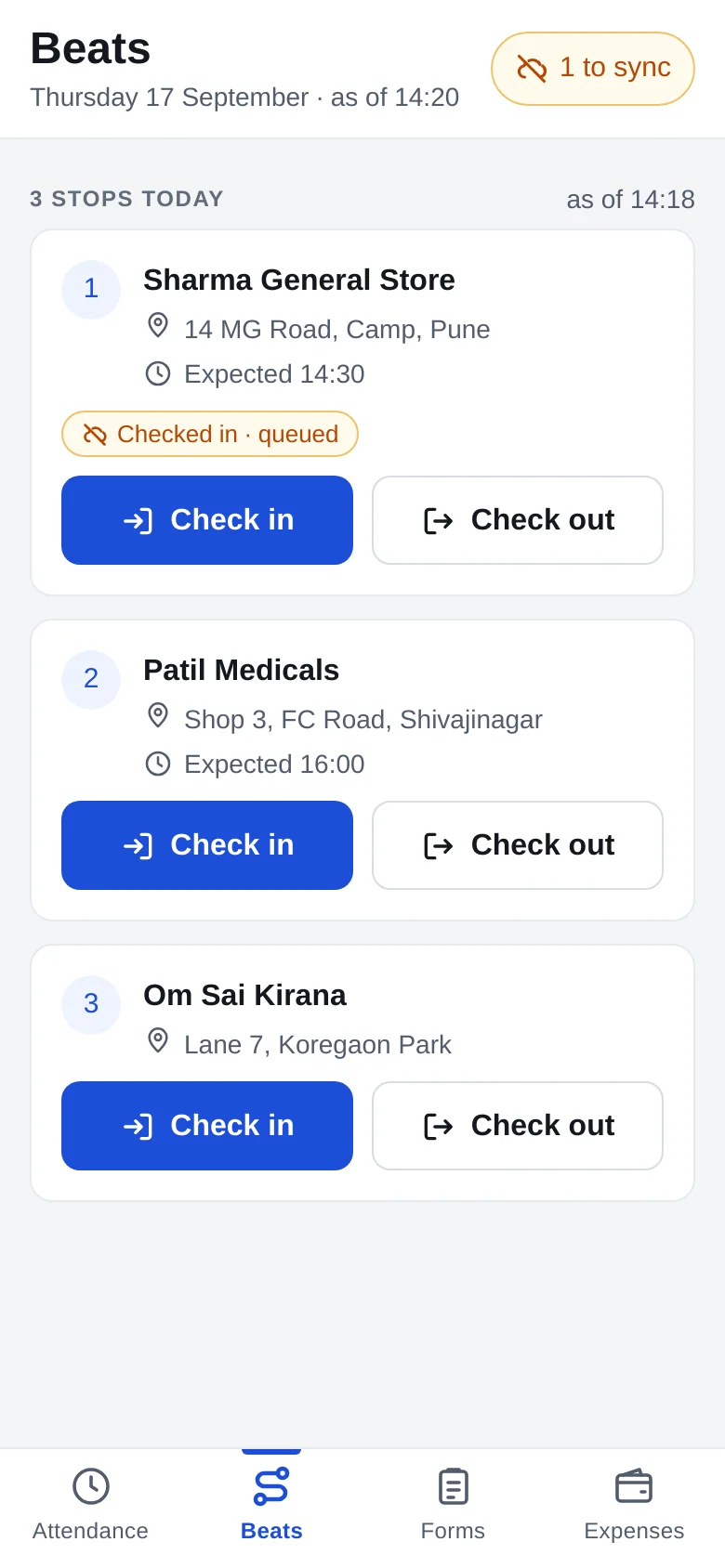
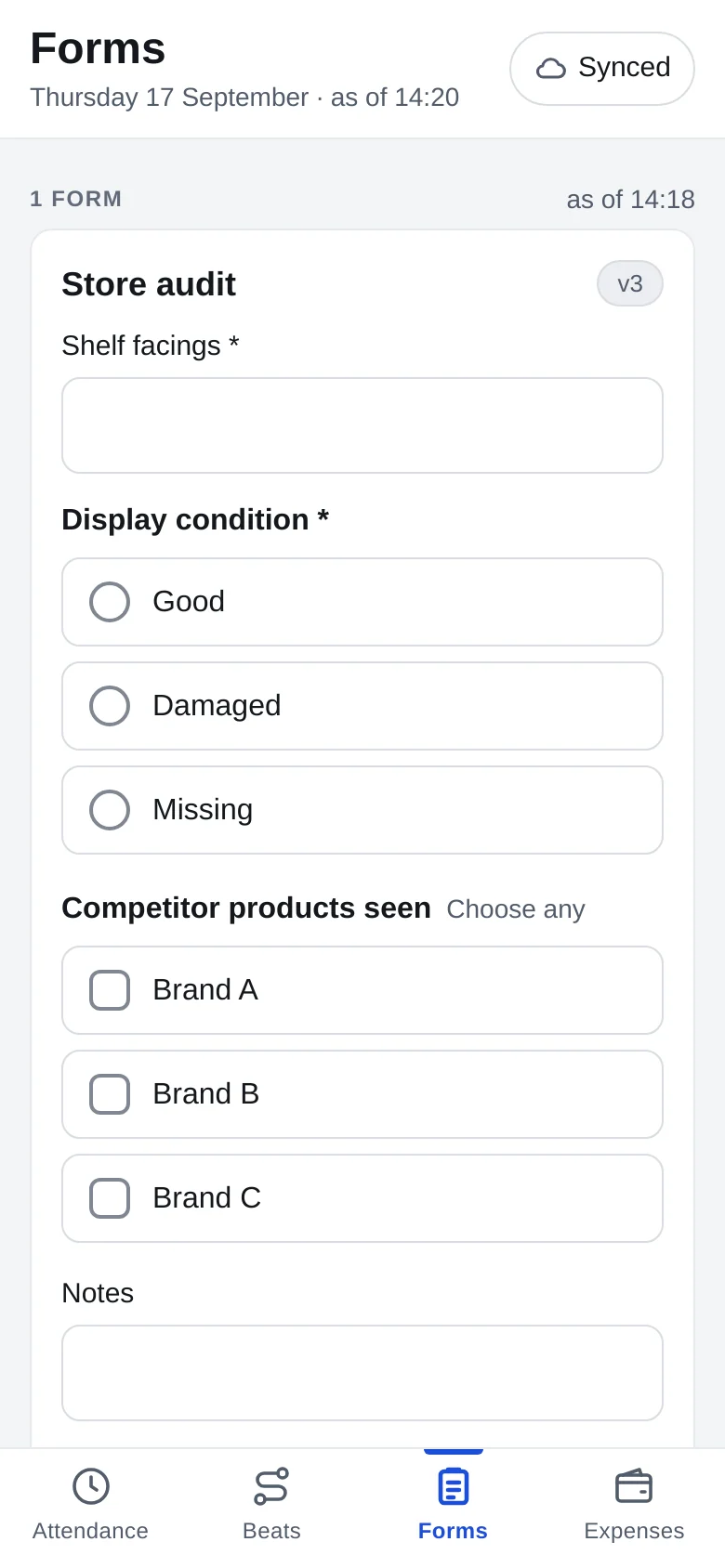
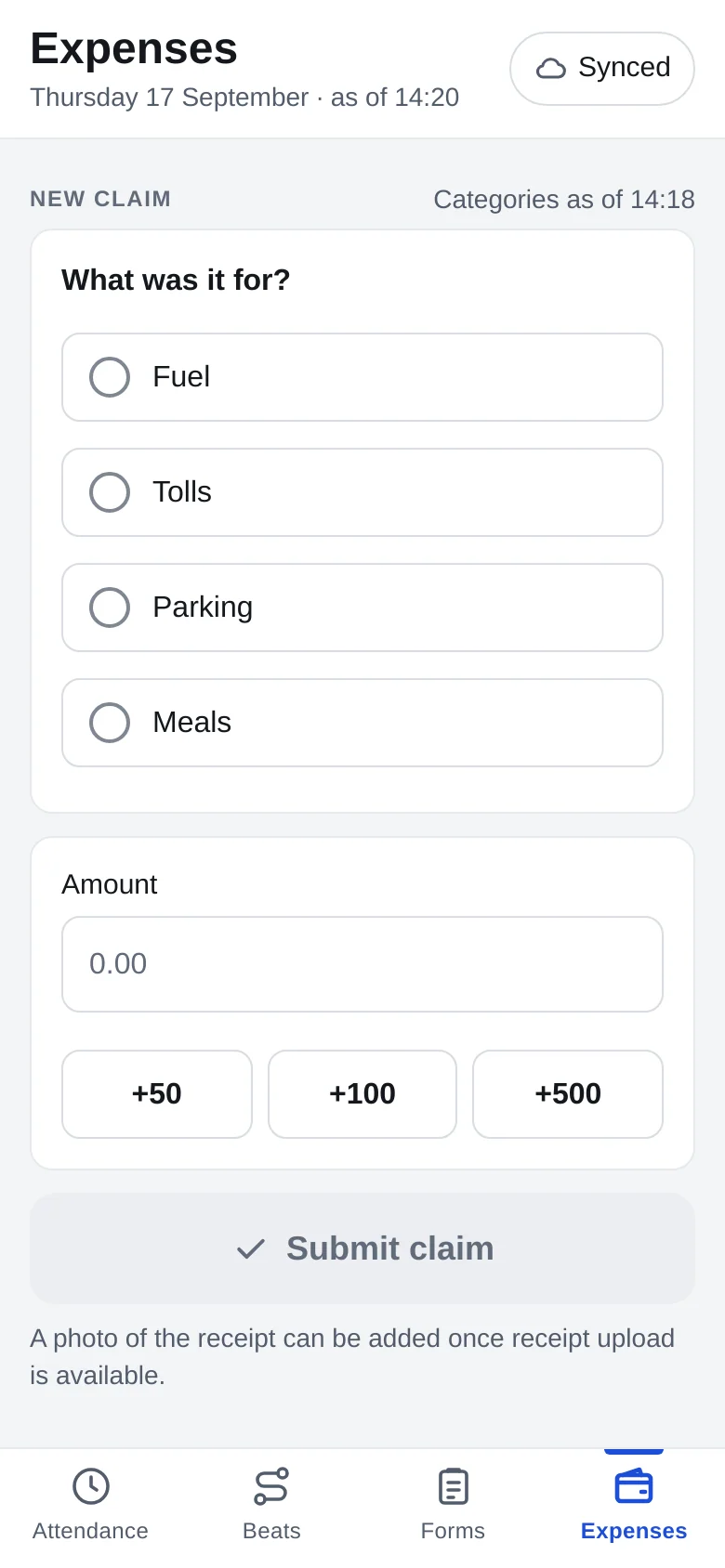
Beats, forms and expenses in GPStrix Field, with demo data.
A spare phone can be the tracker.
Not every vehicle needs a hardwired tracker on day one. Install GPStrix Field on a spare Android phone, enter the pairing code shown in the console, and that phone becomes the tracker for one vehicle. It records in the background, keeps a notification on screen so nobody forgets it is running, and sends positions over HTTPS only.
The trade-off is honest enough to state. To last a shift on battery, a phone reports every few minutes rather than every few seconds, so its position on the live map can be a few minutes old, and the map says how old. A phone also cannot read the engine. For fuel, RPM and CAN data you need a hardwired tracker.
Useful for a pilot, for hired vehicles, or while hardwired units are on order.
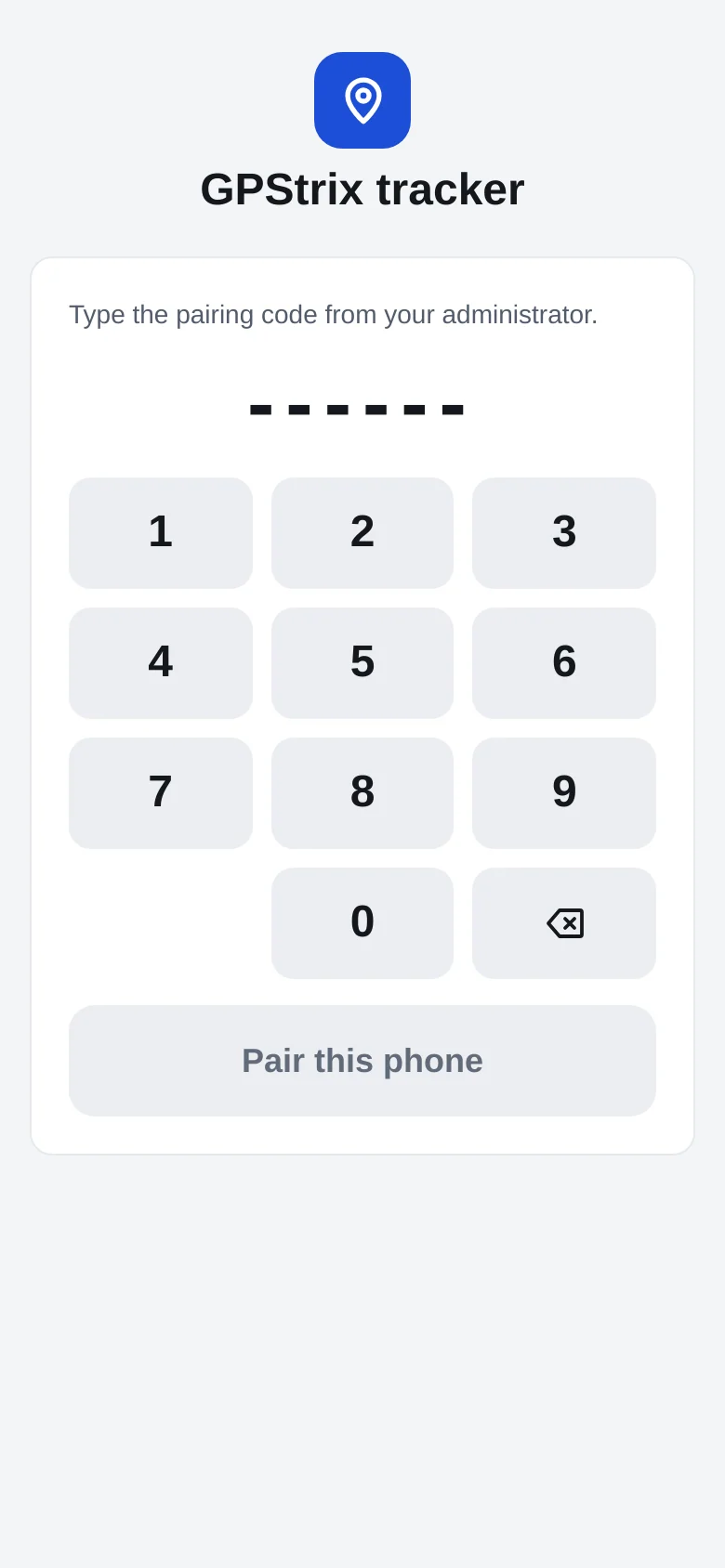
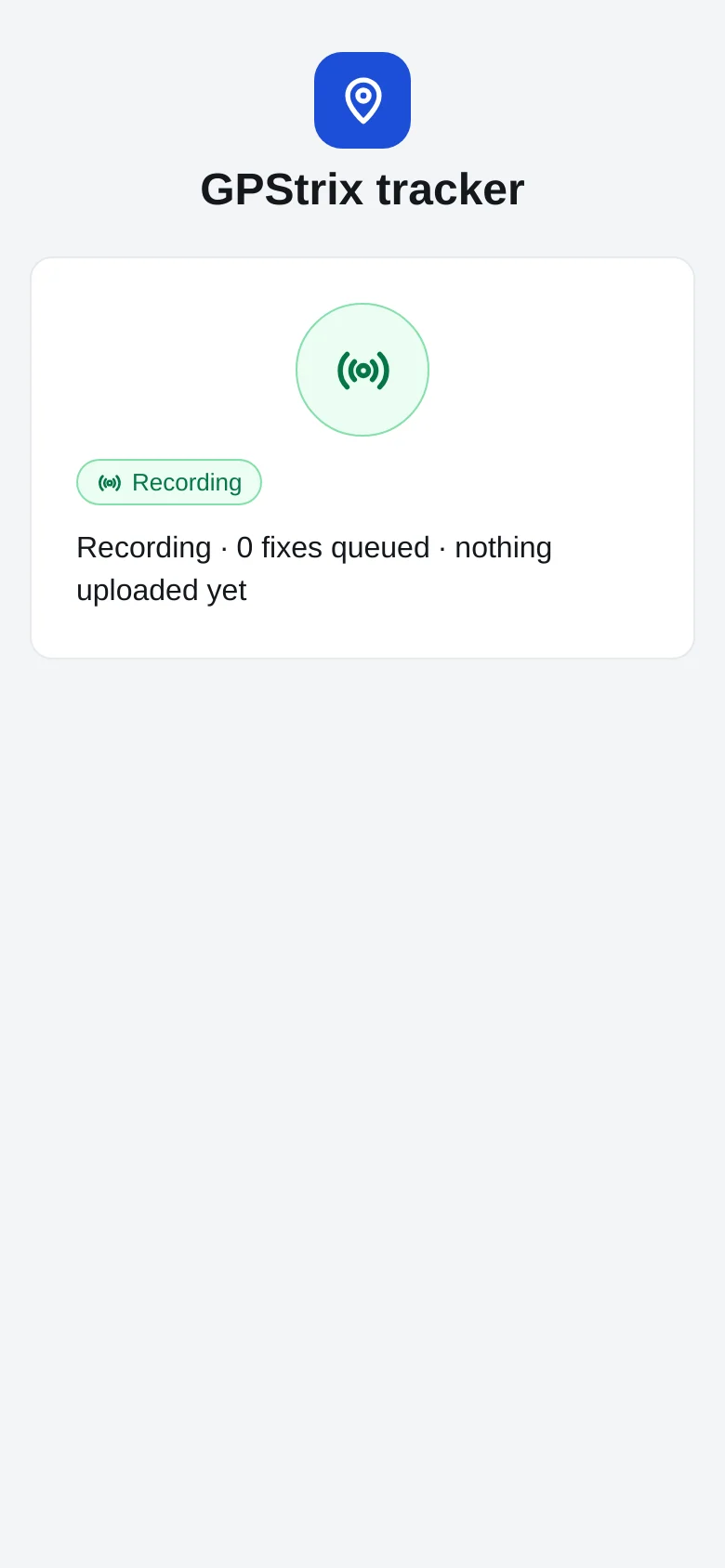
Tracker mode in a preview build with demo data: entering the pairing code, then recording.
GPStrix Fleet, for managers when the laptop is shut.
Most of the work happens in the console. Fleet covers the hours you are away from it.
| Screen | What it is for |
|---|---|
| Live map | Every vehicle's latest position. Vehicles tracked by a phone show how old their last fix is. |
| Inbox | The same action inbox as the console, sorted into critical, needs attention and FYI. |
| Approvals | Expense claims waiting for a decision. Who decided, when, and the note go on the claim itself, the same as an approval from the console. |
| Reports | Run a report and open the PDF or CSV in the phone's own viewer. |
| Vehicles | Every vehicle and its tracker, including the ones with no tracker fitted, because that is the row you most need to see. |
Alerts arrive as notifications if you allow them. If you decline, the app works the same way and everything is still in the inbox.
Installing from this site
The apps are not on the Play Store yet. Android calls this installing from an unknown source, and it takes about a minute.
Download on the phone
Open this page on the phone itself and tap the app you need: Field for staff, Fleet for managers.
Allow your browser to install it
Open the downloaded file. Android asks whether the browser may install apps; tap Settings, turn on Allow from this source, then go back.
Install and sign in
Tap Install, open the app, and sign in with the email and password your administrator set up for you. If your account uses two-step verification, the app asks for the code.
Updates arrive the same way for now: download the newer file and install it over the old one. iPhone users will have to wait; we will put a date here when there is one.
Try the apps against your own routes.
We can set up a demo account with your sites as geofences and a couple of your staff's beats, so the first punch you see is at a place you know.
Already a customer? Sign in to the console.