
What GPStrix does, one screen at a time.
The console is a web app for the people who run the fleet. Underneath it, positions arrive through Traccar, engine data arrives from Teltonika FMB150 trackers, and every customer's data is kept apart by the database. Here is each part, with real screens where we have them.
Screenshots on this page show the demo account. The console has a light and a dark theme; we show both.
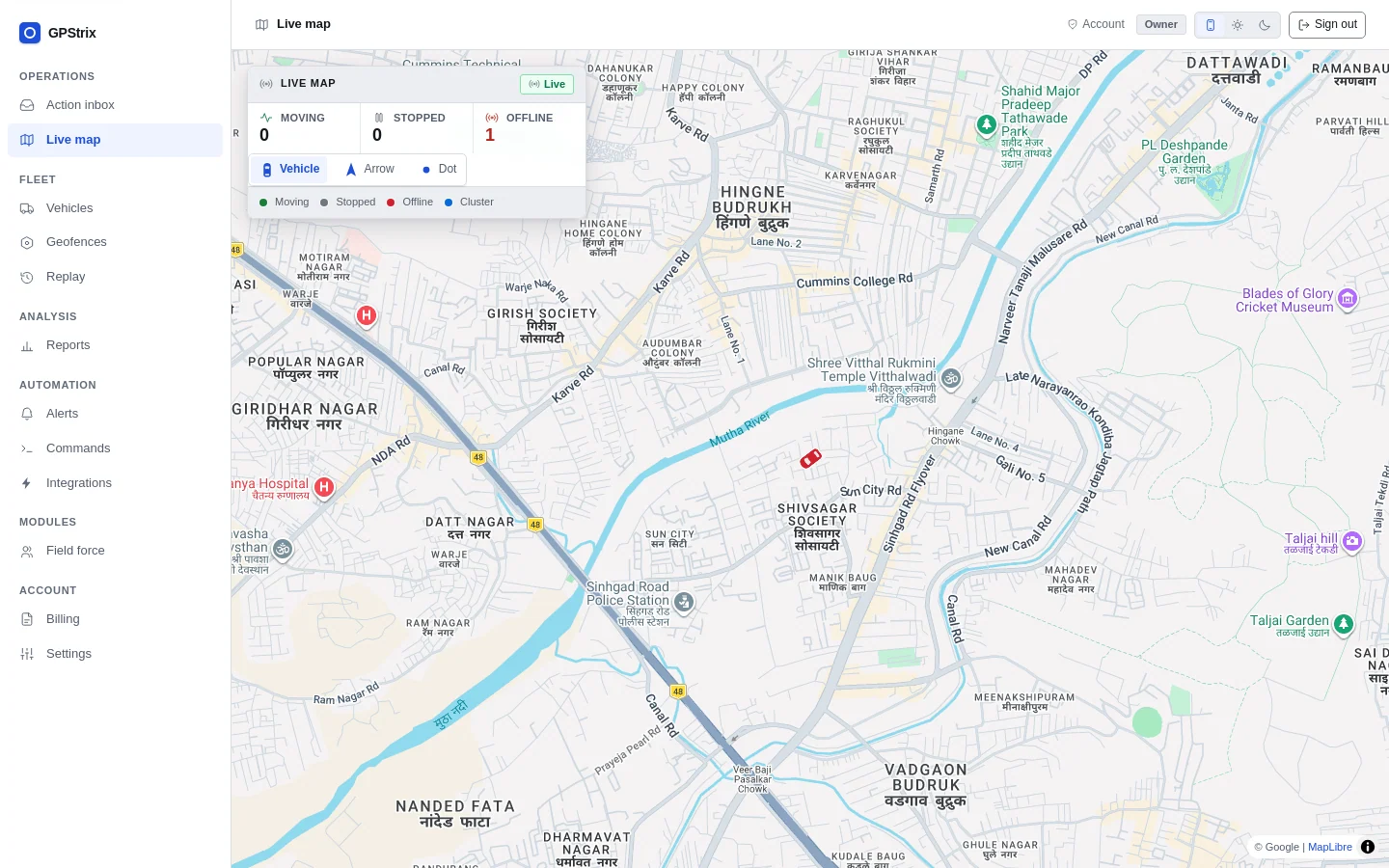
Live map: every vehicle, and how old its position is.
Vehicles move on the map with their recent trail. Each one carries the age of its last position, and a tracker that has gone quiet is drawn as offline instead of pretending to be where it last reported. The counts at the top say how many are moving, stopped and offline right now.
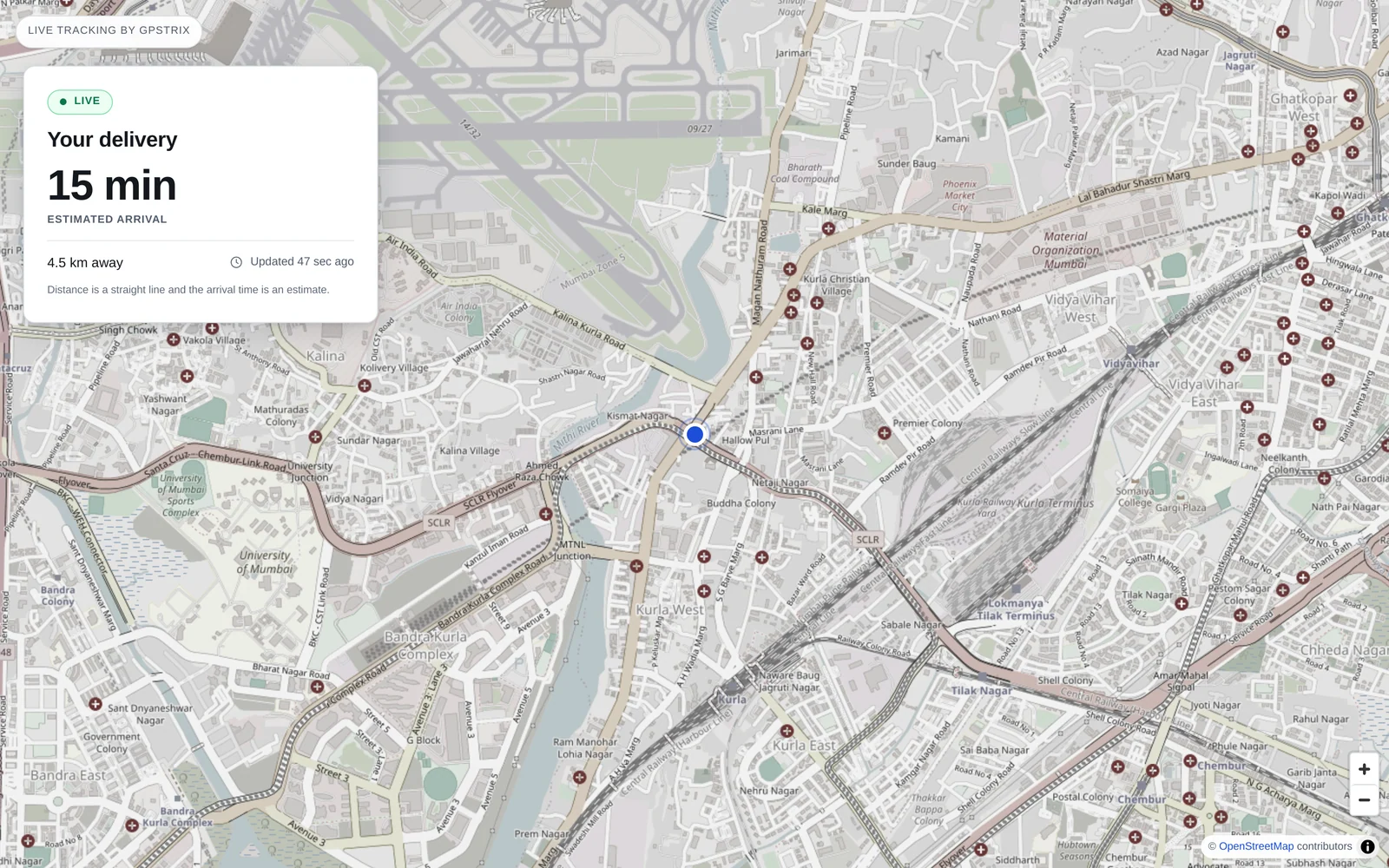
To show one vehicle to someone outside the company, such as a parent, a consignee or a site manager, send a tracking link. It opens without an account, shows the live position and an estimated arrival, and stops working when it expires.
Trip history and replay, on the vehicle's own clock.
Pick a vehicle and a time window and play it back. An hour parked takes an hour's share of the timeline, because the stop is usually the thing you opened the replay for.
On FMB150-fitted vehicles you can then ask the replay a question. Choose a CAN condition and the route and timeline are coloured wherever it was true: every stretch where the engine was over-revving, or every minute the tracker lost the CAN bus. Alerts in the inbox open the replay at the minute they happened.
| Condition | What it usually means |
|---|---|
| Engine RPM above 2,500 | Over-revving, often on a climb or with a heavy load. |
| CAN bus disconnected | Wiring work, a fault, or someone pulling the tracker's connection. |
| Fuel level falling while parked | Worth a look, and a phone call to whoever had the keys. |
Geofences for depots, sites, customers and roads.
Draw a circle, a polygon, or a corridor that follows a road. Entry and exit raise alerts, and feed the geofence and site-visit reports.
A shape is checked before it is saved. A polygon with two corners would pass the database and then never fire an event, so the console refuses it at the drawing stage instead.
Rules decide what is worth a person's attention. The inbox ranks it.
Rules watch the incoming positions and events. When one fires, the alert goes to the inbox and to whichever channels you choose, ranked as critical, needs attention or FYI. A critical alert stays at the top until somebody resolves or dismisses it.
- Conditions
- Overspeed, idling, SOS, power cut, ignition, geofence entry and exit, and CAN conditions on FMB150-fitted vehicles.
- Delivered to
- The console inbox, email, Slack, Telegram, or your own system through a webhook. SMS and WhatsApp once their templates are approved; push to GPStrix Fleet is coming.
- From alert to evidence
- Each alert links to the replay around the minute it fired.
AI-assisted insights, with their working shown.
Every night GPStrix recomputes a baseline for each vehicle, such as how often it usually brakes harshly and how long it usually idles. The next day's events are compared with that vehicle's own normal, not with a fleet average, and anything well outside it becomes a finding.
Before the morning shift the findings are written up as a short summary in plain sentences. Each sentence carries a number that opens the finding it came from, so a manager can check the claim before acting on it.
MH14CX0921 braked harshly 14 times yesterday against a usual 3, the third day running. MH12KT4410 has been silent since 09:02 yesterday, which usually means power or wiring.
You can also ask for a report in words, such as "which vehicles idled the most last week". The console shows the report and the dates it understood before anything runs.
Reports you can run, download or have sent.
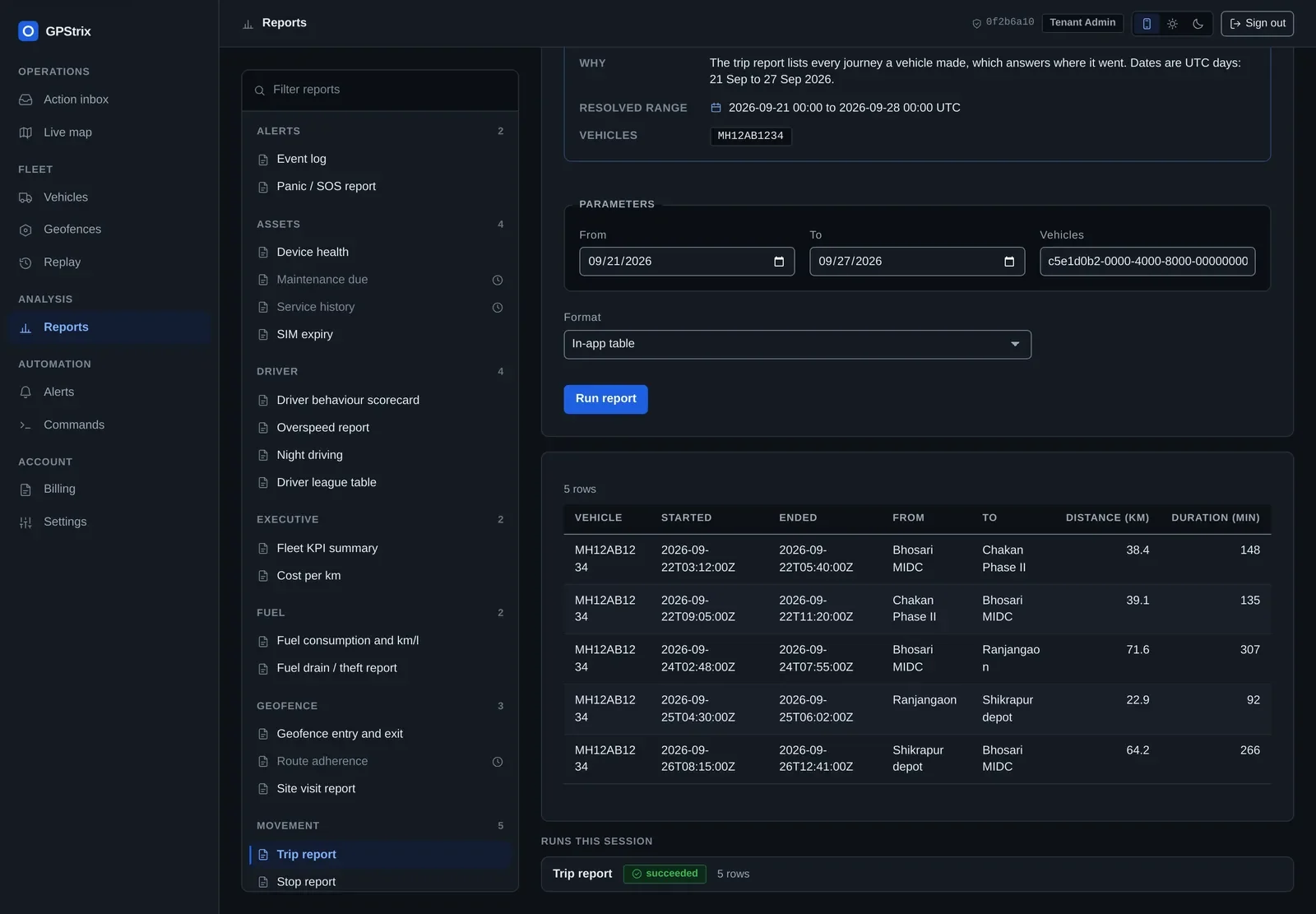
Run any report on screen, download it as PDF or CSV, or schedule it to arrive by email. Long reports run in the background, so a year of trips for a large fleet does not hold up the screen.
| Family | Reports |
|---|---|
| Movement | Trip report, stop report, idling |
| Fuel | Fuel consumption and km/l, fuel drain and theft |
| Assets | CAN activity, battery and power cut, device health, SIM expiry |
| Driver | Behaviour scorecard, overspeed, night driving, continuous driving and fatigue, league table, assignment history |
| Geofence | Entry and exit, site visits |
| Alerts | Event log, panic and SOS, acknowledgement times |
| Executive | Fleet summary, cost per km |
Remote commands, confirmed and on the record.
Send commands to trackers that support them, including the immobiliser. A command that can stop a vehicle asks a second, deliberate question before anything leaves the browser.
Every command is listed with when it was sent, by whom, and what the tracker answered. On a rental fleet or a disputed recovery, that list is the evidence.

Drivers, vehicle groups and who sees what.
- Drivers
- Assign a driver to a vehicle and the assignment is kept with its dates. Reassigning closes the old assignment and opens a new one, so last month's report still names last month's driver.
- Vehicle groups
- Group vehicles by depot, customer or contract.
- Manager scoping
- A manager sees only the groups they run, in the console, the Fleet app and the reports.
- Archiving
- A vehicle that leaves the fleet is archived, not deleted. Its history stays in the reports.
- Sign-in
- Two-step verification with an authenticator app, and password reset by email without calling anyone.
The same data, for your own systems.
A versioned REST API covers vehicles, positions, trips, events, geofences and reports, with keys scoped to the vehicle groups you choose. Webhooks push events to your ERP or dispatch system as they happen. Each delivery is signed with HMAC-SHA256 and carries a delivery id you can deduplicate on. An endpoint that keeps failing is switched off and shown as such, rather than retried for ever in silence.
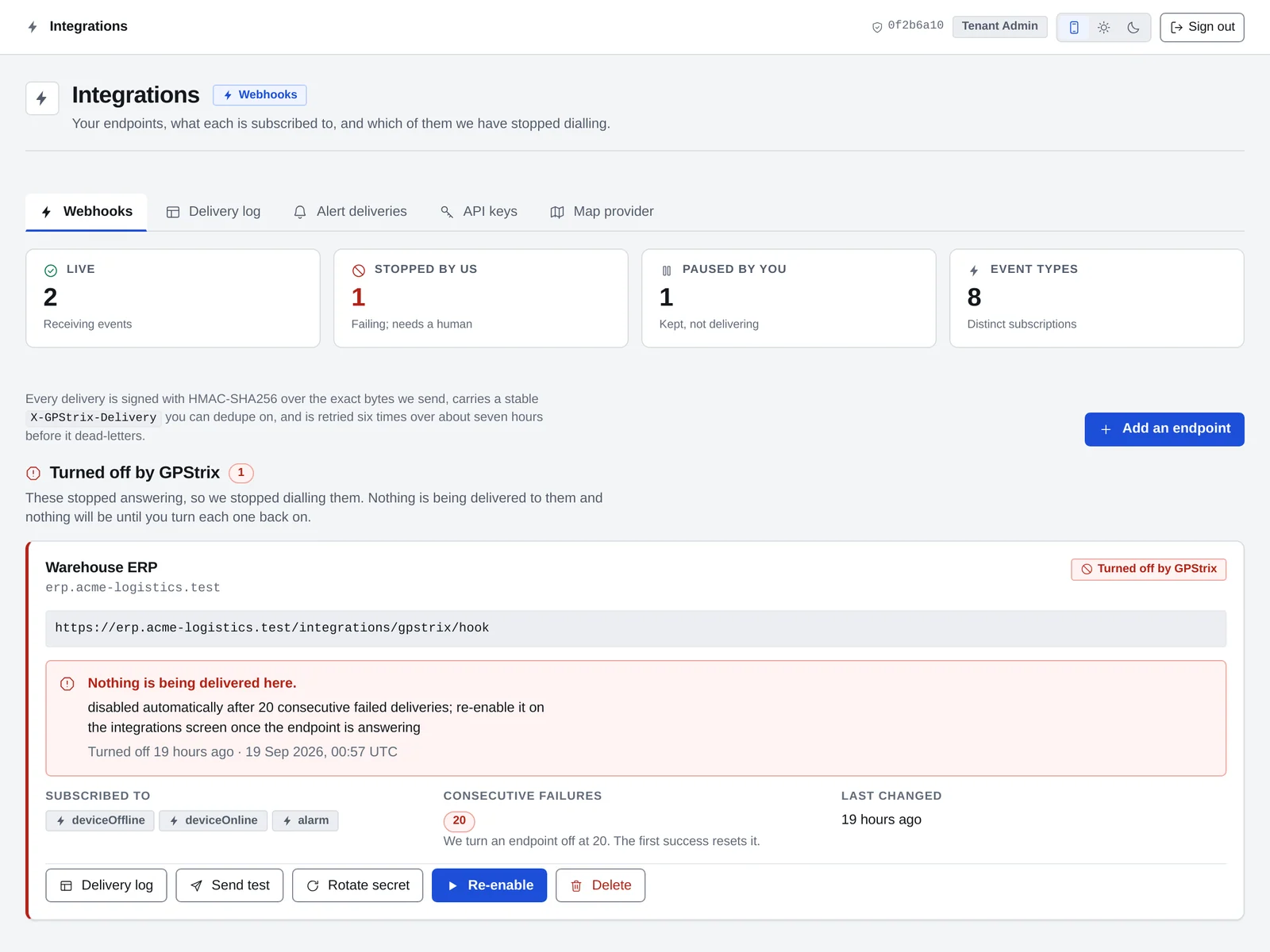
- Status at a glance. Live, stopped by us, paused by you, and how many event types you subscribe to.
- An endpoint that stopped answering. Turned off after 20 failures in a row, with the reason and a re-enable button.
Out of the office, on two Android apps.
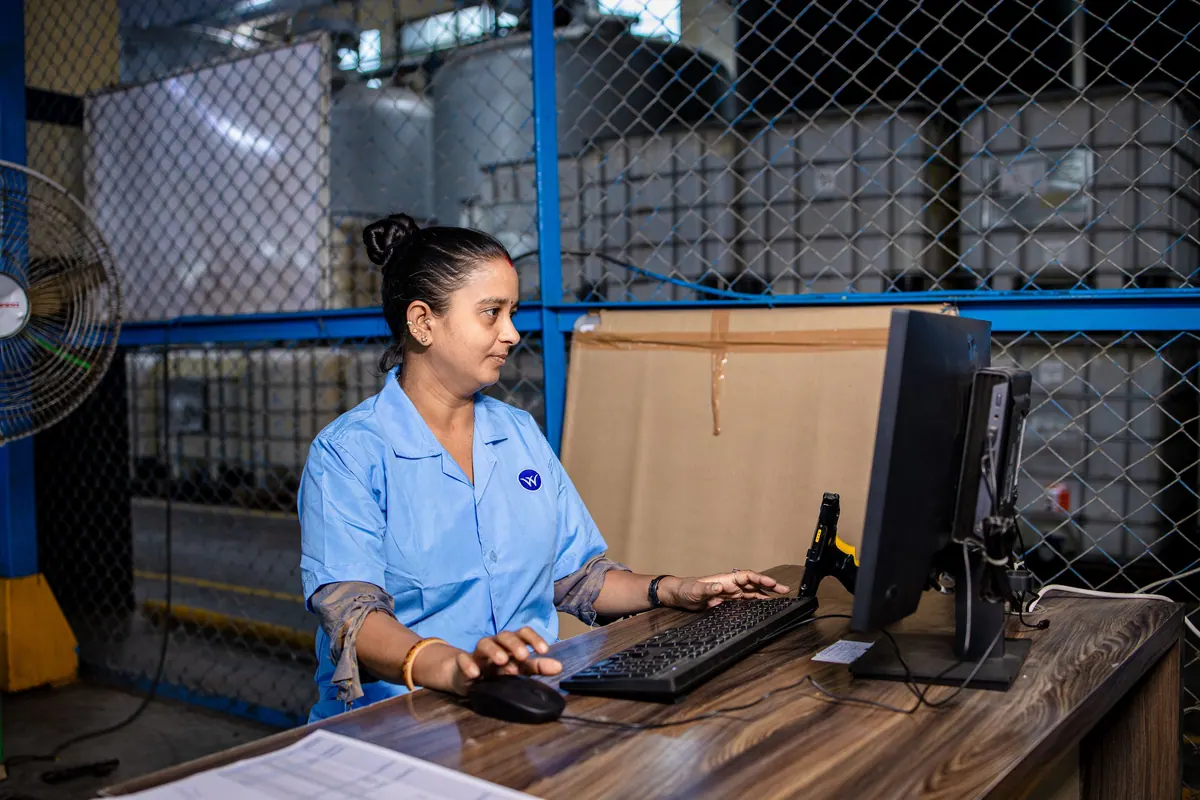
GPStrix Field covers attendance, beats, forms and expense claims for staff on the road, and works offline. GPStrix Fleet gives managers the map, the inbox, approvals and reports.
See these screens with your own trackers.
Tell us what you run and which trackers are fitted. We will set up a walkthrough around the questions you actually have, and quote for your fleet size afterwards.
Already a customer? Sign in to the console.