
Did the Pune team start on time, and did they cover today's beat?
GPStrix Field is an Android app for people whose day is a list of shops. It records the punch-in, each shop visited, what was filled in there and what it cost to get there. It keeps working in a basement godown with no signal.

A rep's day, on the phone.
Punch in
The punch is checked against the geofence for that shift, usually the distributor's premises. Outside it, the punch is still saved, marked with how far outside it was.
Work the beat
Today's shops in order, with expected times. Check in on arrival, check out on leaving. Each check-in records how far the phone was from the shop.
Fill the form
A retail audit, an order, a service report, built from text, number, choice and date questions. Photo and signature questions can already go on a form; the app will capture them in a later update, and until then the form submits without them.
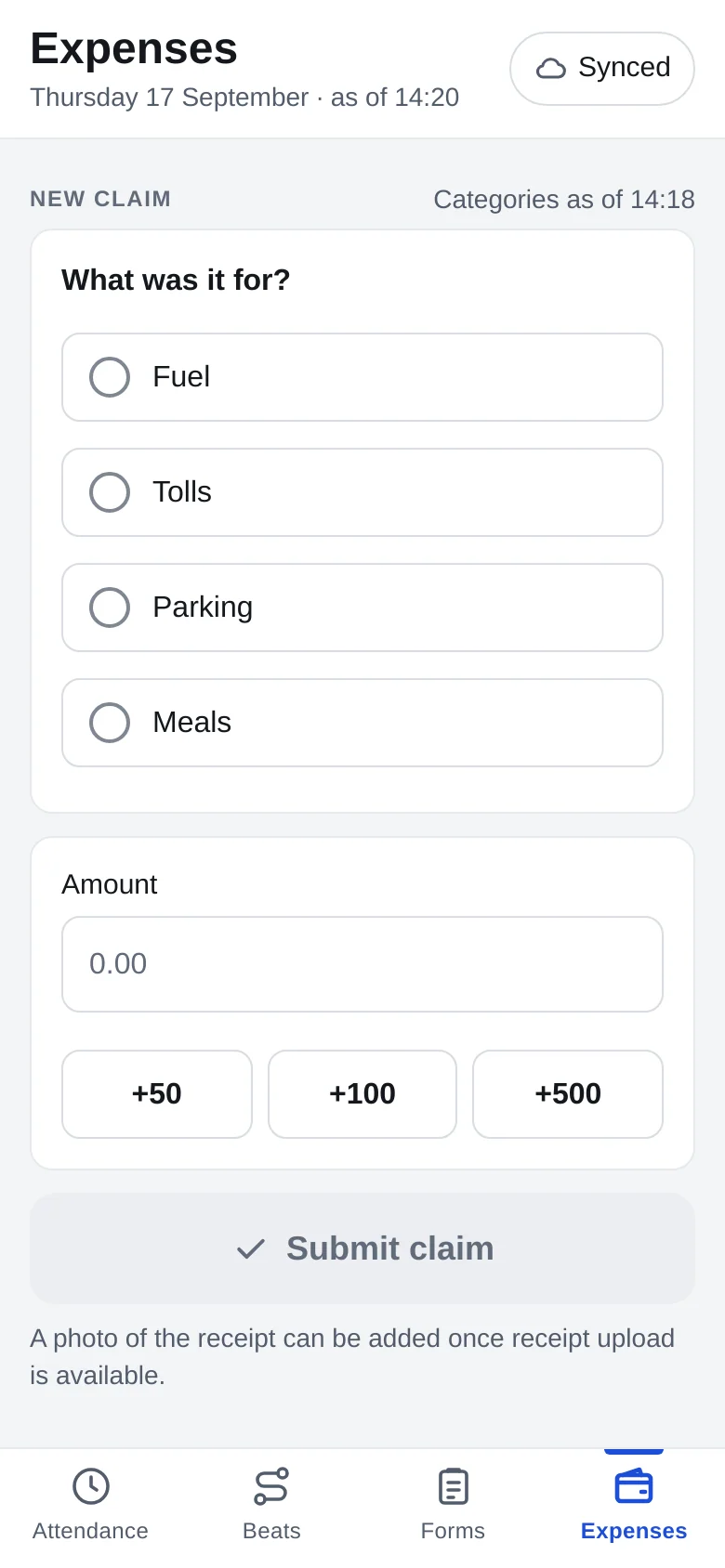
Claim conveyance
Fuel, tolls, parking or meals by amount, or the day's distance worked out from the phone's own trail at your rate per km. The area manager approves it in the GPStrix Fleet app.
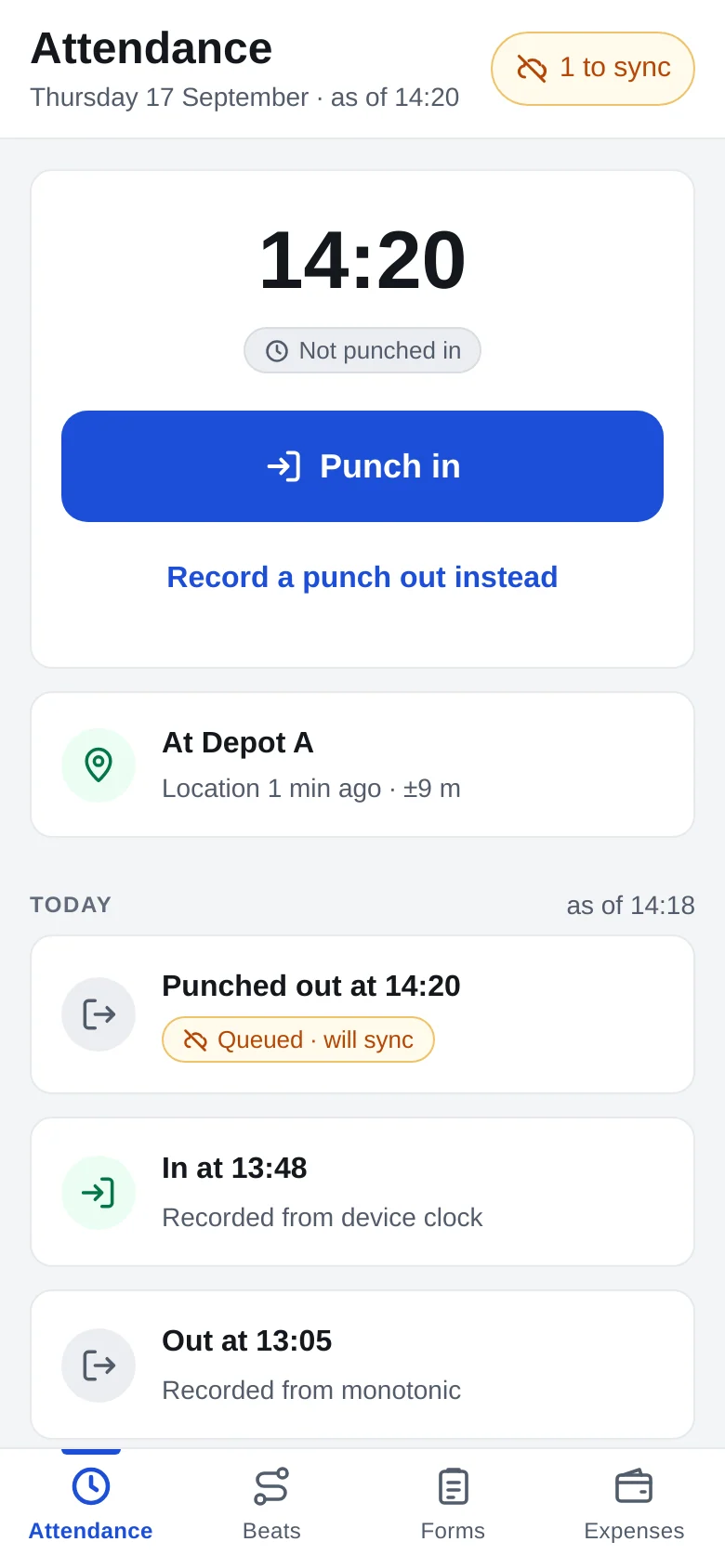
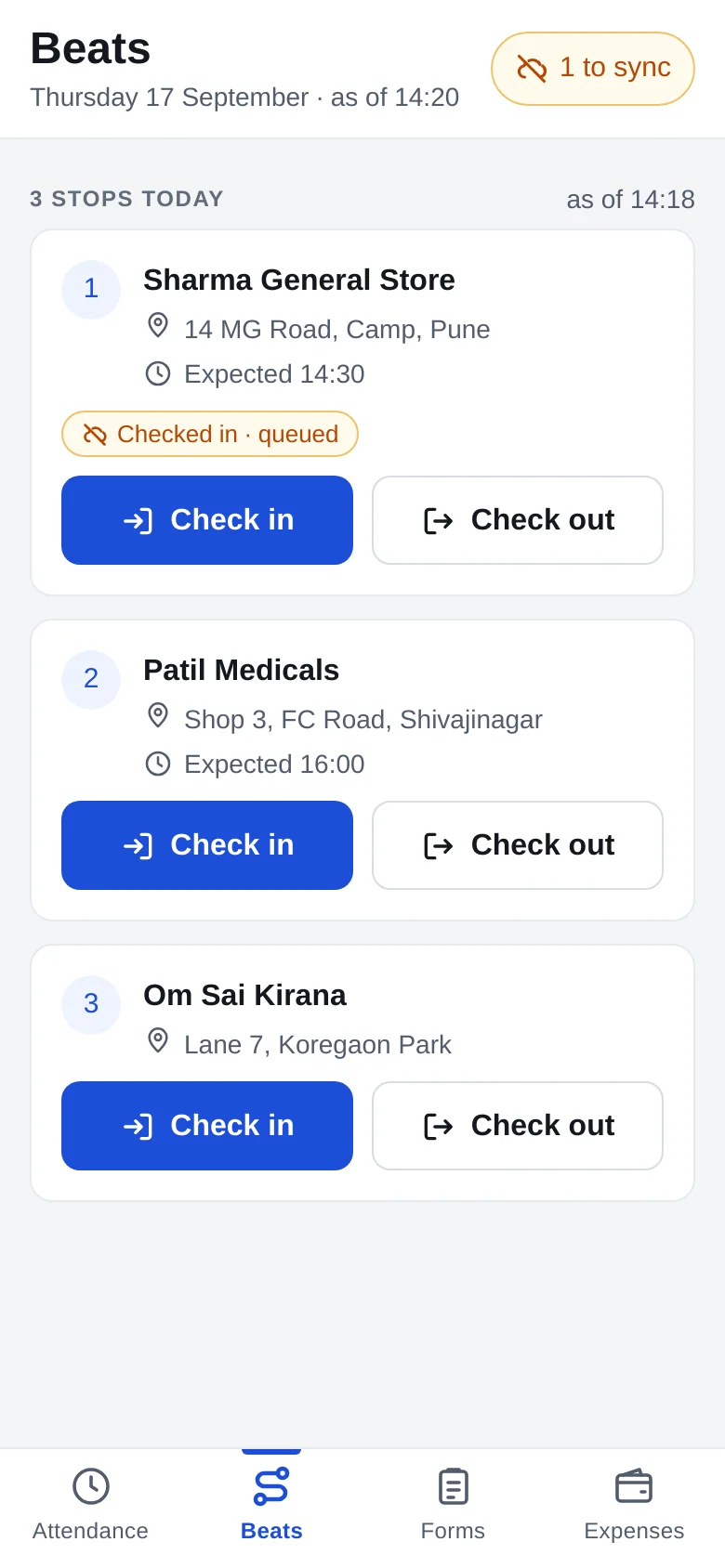
Four arguments it settles.
Every field-sales manager has had these. The answer is a record both sides can look at.
"I was there at 9:30."
The attendance register shows the punch time, whether it was inside the shift's geofence and, if not, how far from the boundary. The late-and-absent report lists the week's exceptions on one page.
"I did visit Patil Medicals."
The visit has its check-in and check-out times and how far the phone was from the shop. A check-in 600 m away is not refused, because GPS inside a mall is poor and a shop's pin is sometimes wrong. It is shown, and you decide. Beat adherence and visit completion put the week on one page.
"My conveyance is 84 km."
The distance-based expense report shows how the figure was reached: the phone's trail within the rostered shift, and the rate applied. The rostered shift, not the punch times, so forgetting to punch out does not turn an evening at home into conveyance. The manager approves or rejects with that in front of them.
"The audit form changed last week."
Forms are versioned. An answer stays tied to the version the rep actually saw, so renaming or reordering questions does not scramble last month's answers, and a rep who was offline for three days is not rejected for a field that became mandatory yesterday.
Basements, lifts and godowns.
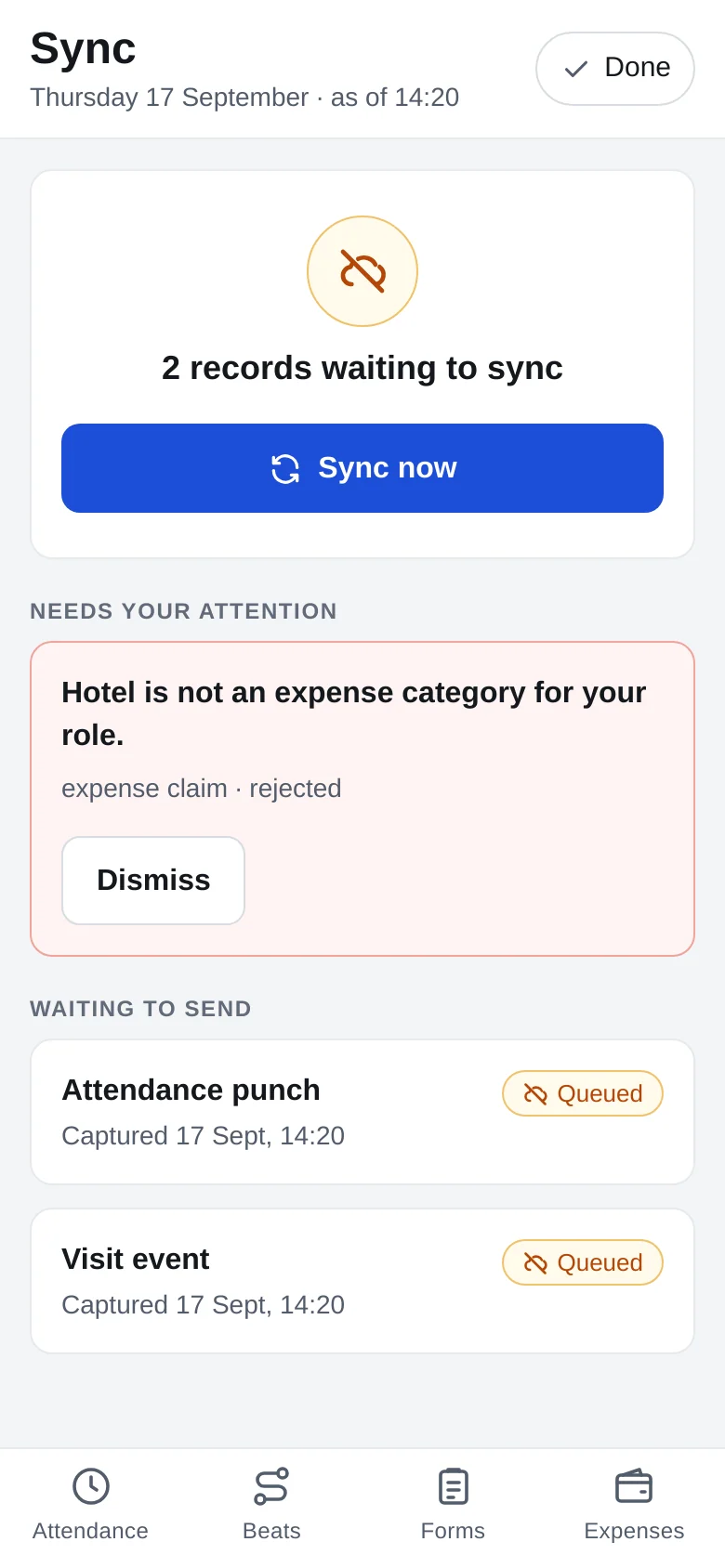
Punches, check-ins, forms and claims queue on the phone and upload when the signal comes back. The app shows how many are waiting.
Late uploads still land on the right day. A check-out sent at 22:00 for a 17:00 departure corrects that day's attendance, because the day is worked out from the punches rather than stored once and frozen.
Tracking stops when the shift does.
A manager sees a field user's live position during shift hours only. After the shift, it is not visible to them. While tracking is on, the phone carries a notification saying so.
That is usually what decides whether a sales team installs the app willingly or hands in a phone with location switched off.
Tracking is on for your shift. Open the app to see its status.
Regions and managers
A regional manager sees only the groups assigned to them, in the console, the Fleet app and the reports. A manager with no groups assigned sees nothing, rather than everyone, so an unfinished setup never hands one region the whole company's team.
Try it on one beat.
Give us one team and one week of shops. We will set up the shift geofence, the beat and a form, and you can run it on your own phones before deciding anything.
Already a customer? Sign in to the console.